A small wrist device can make a big outing feel more manageable.
After school, a child wants to walk to a friend’s house without carrying a phone. A cellular smartwatch offers a middle ground: approved contacts can call or message, and many models let a parent check the watch’s reported location. Its small screen may also be less inviting for games and scrolling than a smartphone.
The connection is not a guarantee. Calls need coverage, a charged battery, and an active plan. Location updates can lag or be inaccurate, especially indoors. A watch can make routine check-ins easier, but agreed routes, pickup plans, and a trusted adult nearby still matter.
What makes a watch work away from a phone
An active cellular connection lets a child’s watch place calls, send messages, and share location while the caregiver’s phone is elsewhere. SOS alerts also need a working connection to reach someone. GPS can determine a position outdoors, but the watch generally needs mobile data or Wi-Fi to send that position to the caregiver’s app.
A Bluetooth-only watch depends on a nearby paired phone for communication. It may still show the time or record steps on its own, but it cannot make an independent cellular call. For families deciding whether a child needs their own phone, that distinction matters more than the watch’s appearance.
Even a standalone cellular watch usually needs a caregiver’s smartphone and app for initial setup, approved contacts, and location settings. Before relying on it, check carrier compatibility, local coverage, and whether the SIM requires activation and a paid plan. Test a call and a location update with the caregiver’s phone out of Bluetooth range.

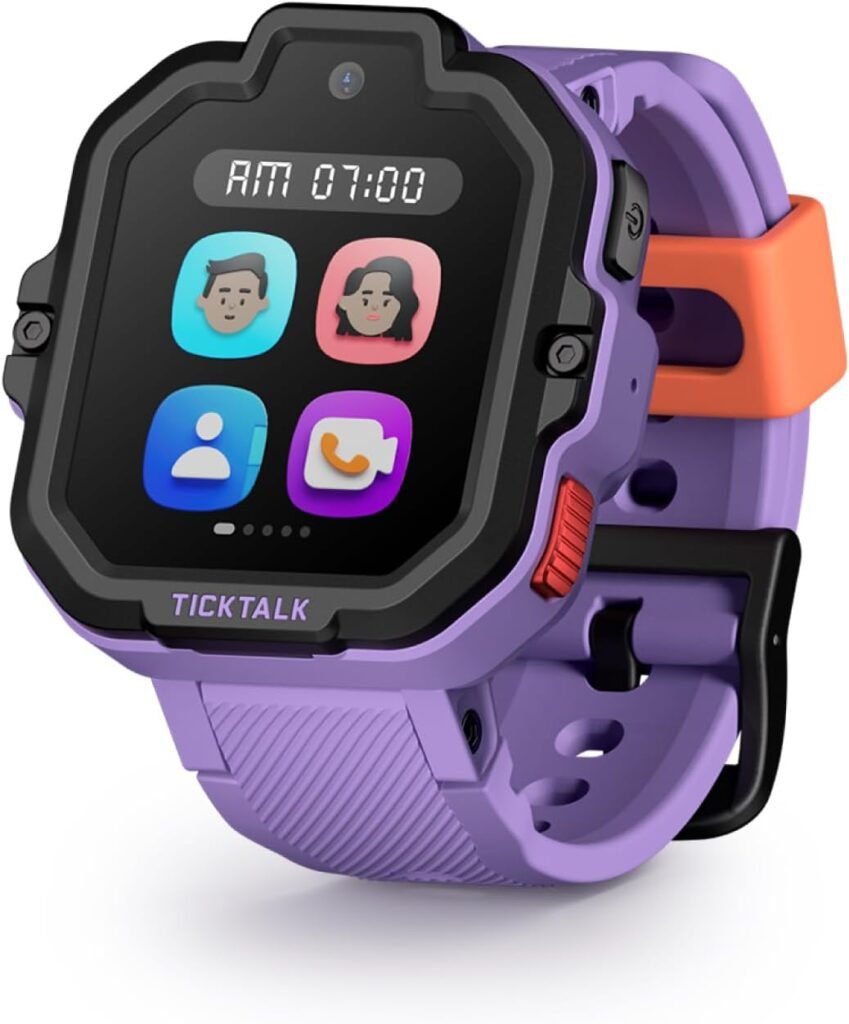
This watch advertises voice and video calls, GPS tracking, safe-zone alerts, and an SOS function. Its listing says it supports use in the US only.
A SIM is included, but that does not confirm active service. Check activation and coverage before depending on its alerts.
Who can reach the watch?
Most kids’ cellular watches use an approved contact list managed in a parent app. A parent or guardian adds names and numbers, then decides whom the child can call or message. Some models separate incoming and outgoing permissions; others apply one list to both. Messaging may mean texts, voice notes, or app-to-app messages, depending on the watch.
The list is also meant to limit who can reach the child, but how a watch handles unknown callers varies by model and settings. During setup, check whether unapproved numbers are blocked, silenced, or allowed through. After saving changes, test both directions with an approved phone and an unapproved one; the watch may need time or a connection to sync.
An SOS button is not a universal emergency-services button. On one watch it may call selected contacts in sequence; on another it may send an alert and location through the app. The exact steps, including how long the button must be held, are worth checking in the watch’s SOS instructions before a child relies on it.
Run a supervised test if the maker provides a safe way to do so. Tell the child who receives the alert and what to do if nobody answers.
What location updates can tell a parent
A watch’s map usually shows its last reported location, not a continuous, exact position. Some apps refresh on a schedule; others let a parent request an update. Either way, the pin may stay put while the child moves, especially when the watch has weak service or is indoors.
Location history can help establish a broad pattern, such as whether the watch reported near school before appearing near home. It is less useful for proving which room a child entered or the precise route taken. A gap in the record may mean the watch could not send an update, not that the child stopped moving.
A leave-area alert can flag when the watch appears to move beyond a saved boundary. Set the area wide enough to account for location drift, then test it on an ordinary trip. Alerts may arrive late or trigger near the edge, so they work best as a prompt to check in—not as proof of an exact departure time.
Check the timestamp before reacting to an unexpected location. If it is recent, call or message the child for context. Indoor locations are particularly prone to misleading pins; a map reading alone should not outweigh a direct check-in.
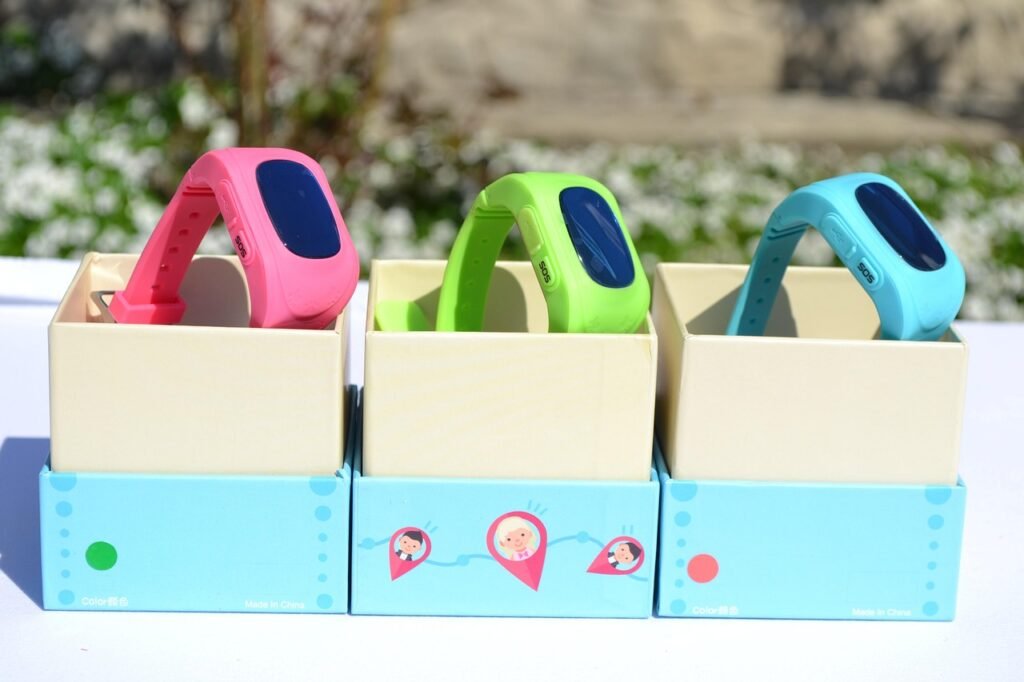
Who has access in the caregiver app?
A caregiver app may let more than one adult help manage a watch, but an invitation does not always grant the same access. Depending on the brand and assigned role, a caregiver might be able to view location, receive leave-area or SOS alerts, add approved contacts, or change watch settings. Some apps reserve those controls for the account owner.
During setup, check each adult’s permissions rather than assuming “caregiver” means full access. Confirm who can see the child’s location, who receives alerts, and who can edit the contact list. Repeat that check when pickup duties or household arrangements change, and remove access that is no longer needed.
School mode is not school permission
A watch can have a “school mode” and still be against school rules. Some schools allow watches only if they stay silent; others require them to be put away or do not allow connected devices at all. Check the written policy and ask how it applies to cellular watches before a child wears one to class.
School mode changes what the watch does, not what the school permits. Depending on the model and settings, it may hide games, silence notifications, or restrict ordinary calls. It may still allow calls from designated contacts or an SOS action during restricted hours. Families should check the watch’s manual, set the actual school-hours schedule, and try an ordinary call to see what gets through. For SOS, confirm the stated behavior with the manufacturer rather than placing a test call to emergency services. A child should also know the school’s procedure for getting help.
What the watch costs over time
Check coverage before comparing prices. Look at the carrier’s or watch provider’s map for home, school, regular routes, and places the child often visits. A good signal at home does not guarantee calls will work inside a school building. If possible, use the return window to test those spots.
For each watch, add the device price, activation or SIM fees, and 12 or 24 monthly payments. Include taxes, any required caregiver-line charges, and discounts that expire. Some watches need a particular carrier account; others require the maker’s service instead of an existing family plan.
Allow for a replacement band in the correct size, too. Before signing up, check whether service has a minimum term, how cancellation works, and whether unused prepaid months are refundable. If the device is financed, ask whether its remaining balance becomes due on cancellation. A lower purchase price can disappear quickly under a higher monthly bill.
The refurbished Gabb Watch 3e costs about $160 upfront, before its required phone plan.

Match calling features to household rules
Start with a simple rule: who may contact the child, when, and for what reason? A household that wants only a quick pickup check-in may need voice calling and little else. If short updates are more useful than a live conversation, messaging may fit better—but a child must be able to read and respond comfortably on a small screen.
Voice calls are direct, though they can interrupt class or activities. Preset messages are quicker to send, while typed or voice messages allow more detail; the available options vary by watch. Before choosing, check whether incoming messages are limited to approved contacts and whether a caregiver can review or change those permissions.
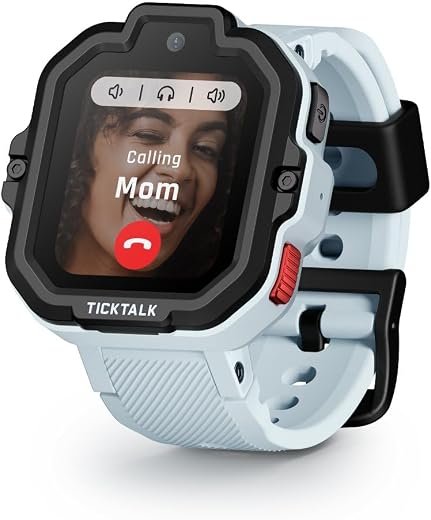
Video adds a face to a call, but it demands a stronger connection and can use more data and battery. It also raises a privacy question: a child may answer while other children, a classroom, or a home interior is in view. Families considering watches that combine video calls and GPS should check when video is available, who can initiate it, and whether it can be disabled.
Gabb Watch and TickTalk illustrate different approaches to communication controls, rather than a clear winner for every household. A side-by-side look at their contact rules can help narrow the choice, but current calling, messaging, video, and plan details should be confirmed on the exact model before purchase.
A watch only helps when it stays on
A watch left in a backpack cannot take a call or provide a useful worn-location update. Before choosing one, check whether the case sits comfortably on a small wrist and the band stays fastened through running and climbing. It should be snug enough not to slide over the hand, without pinching or leaving deep marks.
A child also needs to read and use the screen. Large buttons may be easier to tap than tiny menus, while a bright display matters outdoors. If a watch feels bulky or awkward, its features may not matter for long.
Daily habits deserve the same attention as the hardware:
- Charging: Pick a regular charging time and check that the watch is back on the wrist before school.
- Playground wear: Look for a replaceable band and check the maker’s water-resistance limits; a rating does not necessarily cover every kind of play.
Try the watch on an ordinary week
-
Check coverage along the usual route
Make a brief call from home and from places the child normally goes, where watch use is allowed. A strong signal at home does not prove the watch will work at the bus stop or a relative’s house.
-
Try every approved contact
Confirm that the child can call each approved adult and that those adults can call back. Check what happens when an unapproved number calls, rather than assuming it will be blocked.
-
Watch the location and alerts
Compare a few location updates with where the child actually is, noting each pin’s timestamp. If area alerts are enabled, try an ordinary arrival or departure and see how long the notification takes.
-
Test SOS only as the manual directs
Tell designated recipients about the test first, then follow the model’s test procedure. Do not place a live emergency-services call just to check the button.
-
Practice the charging routine
See whether the watch lasts through a typical day and choose a charging spot the child can reach. A bedtime battery check is more useful than discovering an empty watch at school.
-
Agree on a backup plan
The child should know where to go and which trusted adult to approach if the watch has no signal, runs out of power, or gets no answer. The watch is one way to ask for help, not the only way.
A useful watch must reach the right adult from the places a child actually goes. If an ordinary week exposes dead zones, missed calls, or a charging routine that never sticks, extra features will not solve the basic problem. The family also needs to be comfortable with who can contact or locate the child and what the watch will cost after any promotional price ends. If those conditions do not hold, a simpler check-in plan may be more dependable.