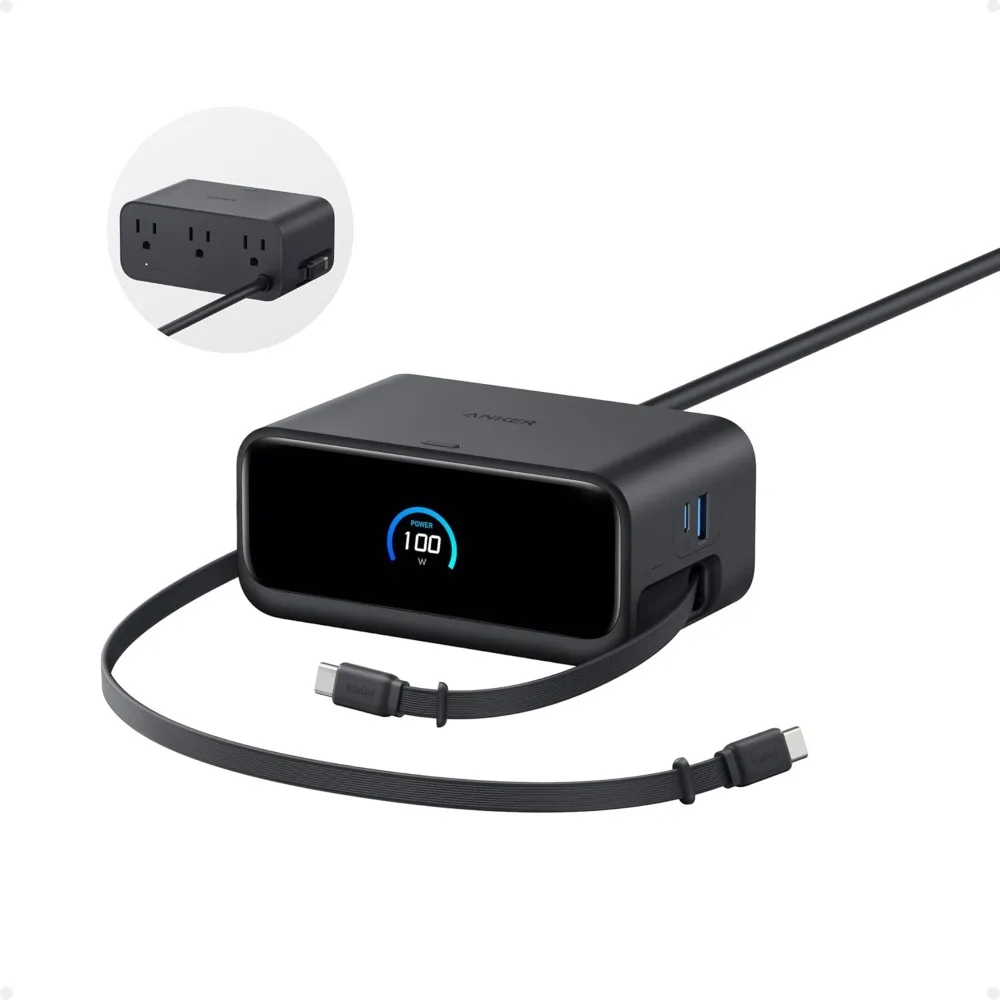
Understanding USB-C Power Delivery
USB-C Power Delivery, usually called USB-C PD, is a charging standard for devices that need more power than earlier USB connections were designed to supply. It uses the USB-C connector, but the connector shape alone does not guarantee Power Delivery support. Both the charger and the connected device must support the standard.
Older USB charging methods commonly supplied limited power, which was suitable for small phones and simple accessories. USB-C PD allows far higher power levels, making it practical for tablets, handheld gaming systems, cameras, power banks, and many laptop computers.
Its main purpose is controlled power transfer.
A compatible USB-C PD charger can supply different voltage and wattage levels rather than sending one fixed amount of power to every device. This flexibility lets a single charger serve equipment with widely different requirements. A phone may need a modest charging rate, while a laptop may require 65 watts, 100 watts, or more.
USB-C PD does not force a device to accept the charger’s maximum rating. A 100-watt charger connected to a phone will not normally send 100 watts into that phone. The device requests an appropriate power level, and the charger responds within its supported limits.
How USB-C PD Selects the Right Charging Power
Power Delivery depends on communication between the charger and the device. Shortly after a USB-C cable is connected, the two sides identify the power profiles they can support. They then agree on a suitable voltage and current.
This process is often called negotiation. It occurs automatically and usually takes only a moment. The device may request a profile such as 5 volts for basic charging, 9 volts for a phone that supports faster charging, or higher voltages for a laptop.
Wattage is calculated from voltage and current. For example, 20 volts at 3 amps equals 60 watts. A charger may support several combinations, allowing it to meet the needs of different products without requiring a separate brick for each one.
The cable has a role in this exchange. A low-rated USB-C cable may limit the amount of current that can safely pass through it. For higher-power charging, particularly above 60 watts, a correctly rated cable is needed. Some high-power USB-C cables contain an electronic marker that tells connected equipment what the cable can handle.
A good charger, compatible device, and suitable cable work as a system. If any part has a lower rating, charging may occur at that lower level.
Why USB-C PD Supports Modern Multi-Device Charging
Many people now carry several rechargeable devices each day. A phone, tablet, laptop, wireless earbuds, camera, power bank, and handheld console may all need charging at different times. USB-C PD reduces the need for separate proprietary adapters.
For this reason, USB-C PD ports should be the main focus of a multi-device charger. Two or three USB-C ports create much greater flexibility than a charger built mainly around older USB-A ports. USB-A remains useful for legacy accessories, yet it is less suited to modern laptops and higher-power equipment.
Multi-port charging has one detail worth checking: total power sharing. A charger rated at 100 watts may supply the full amount to one connected device, but its output is divided once several devices are attached. The manufacturer should state how power is allocated across the ports.
For example, a two-port model might send 65 watts to a laptop and 35 watts to a phone. Another model may divide its output differently. Plugging in a second device can cause the charger to renegotiate power with the first device, sometimes briefly interrupting charging while the new allocation is set.
Clear port labels and published power tables make daily use easier.
How GaN Technology Changes Charger Design
GaN stands for gallium nitride, a material used in the internal power components of many newer chargers. Traditional chargers commonly rely on silicon components. Gallium nitride can operate more efficiently at higher switching frequencies, allowing designers to reduce the size of some internal parts.
The practical result is a charger that can deliver substantial output from a relatively compact body. A 100-watt GaN unit may fit easily into a work bag, even though an older charger with similar output could be much larger and heavier.
Smaller components do not mean less capable charging.
GaN’s efficiency can reduce energy lost as heat during conversion from wall power to USB output. That reduction helps charger makers create compact designs without sacrificing the power needed by modern laptops and other demanding devices.
Its use is internal; it does not alter the USB-C connector itself. GaN and USB-C PD address different parts of the charging experience. PD manages the communication and power agreement, while GaN helps the charger convert and handle that power efficiently.
The Practical Benefits of Smaller High-Power Chargers
Portability is the most obvious benefit of a compact high-power charger. Carrying a single small unit that can charge a laptop, phone, and tablet is more convenient than packing several large adapters. This can reduce weight in a travel bag and free space near an outlet.
Compact chargers can be useful at a desk as well. Their smaller bodies may sit behind furniture, fit into cable-management trays, or leave more room on crowded power strips. Many models use foldable wall prongs, which makes storage simpler and reduces the chance of snagging other items.
Higher output can support faster charging where the device permits it. A compatible phone may refill its battery much faster than it would with a low-power adapter. A laptop can remain charged during work instead of slowly losing power under load.
Actual speed remains dependent on the device, its battery condition, the cable, battery temperature, and the charger’s port allocation. Maximum wattage on the charger box is a capacity figure, not a promise that every connected product will charge at that exact rate.
Heat Management and Charging Performance
All charging produces heat. Power conversion inside the charger creates some warmth, and the device’s battery produces heat while accepting energy. Higher loads can make both the charger and connected device noticeably warm.
Well-designed GaN chargers manage heat through efficient circuitry, component selection, internal layout, and protective controls. Their compact size should not be mistaken for an absence of heat. A small 100-watt charger working near its limit may still become warm during extended use.
Ventilation matters.
A charger should be used in an open area rather than covered by bedding, clothing, or dense papers. It should not be placed near a heat source or inside a confined space where warmth cannot disperse. If a charger becomes unusually hot, gives off an odor, makes strange sounds, or shows damage, it should be unplugged and replaced.
Heat can affect charging behavior. Devices may slow their charging rate if their battery reaches a high temperature. That response protects battery health and does not always indicate a fault with the charger.
What GaN Technology Does Not Guarantee
GaN is a useful material, but the term alone does not prove that a charger is safe, durable, or suitable for every setup. The quality of the overall design still determines real-world performance.
A reliable unit needs proper overcurrent, overvoltage, overtemperature, and short-circuit protection. It needs solid insulation, durable connectors, stable power regulation, and accurate communication through its USB-C ports. Manufacturing quality matters just as much as the material named on the package.
Cable quality matters too. A poorly made or damaged cable can restrict charging performance, disconnect intermittently, or create a safety concern. High-wattage charging should use a cable rated for the required output.
GaN cannot compensate for an unsuitable power rating. A compact 30-watt charger may be excellent for phones and small tablets, yet it may not keep a power-hungry laptop charged during demanding work. Choosing output capacity should begin with the needs of the devices being used.
Choosing a Reliable USB-C PD GaN Charger
Start by checking the charging requirements of the largest device. Laptop manufacturers often state the recommended wattage on the original adapter or product documentation. Selecting a charger with enough capacity for that device creates a practical foundation for the rest of the setup.
Then review the number and type of ports. A person charging a laptop and phone at once may prefer two USB-C PD ports. Someone with older accessories may want one USB-A port in addition to USB-C. Check the charger’s power-sharing chart before purchase, especially if several devices will be connected regularly.
Review cable ratings with the same care. A cable rated for 100 watts or higher may be necessary for high-power laptops. For lower-power devices, a standard USB-C cable may be sufficient, provided it is well made and supports the desired charging protocol.
Choose products from manufacturers with clear specifications, safety certifications appropriate to the region, warranty support, and a solid reputation for electrical accessories. Avoid units with vague power claims or missing details about port output.
A suitable USB-C PD GaN charger combines enough wattage, sensible port distribution, safe construction, and cables matched to the job. That combination turns a small wall charger into a practical power source for a modern collection of devices.

j5create 100W USB-C Charger with Type-A
- Power: 100W USB-C output
- Ports: USB-C & Type-A
- Simultaneous charging
- Compact design